Add Server
Add Authorisation Servers. Enable other participants to authenticate their client applications and access your organisation's published APIs in a secure way.
Prerequisites
Get an Access Token with the directory:website scope - if you want to add or manage OAuth Authorisation Servers using Connect's APIs.
Register Authorisation Server
-
Select Servers > New Server.
-
Fill in the details of the organization's authorization server.
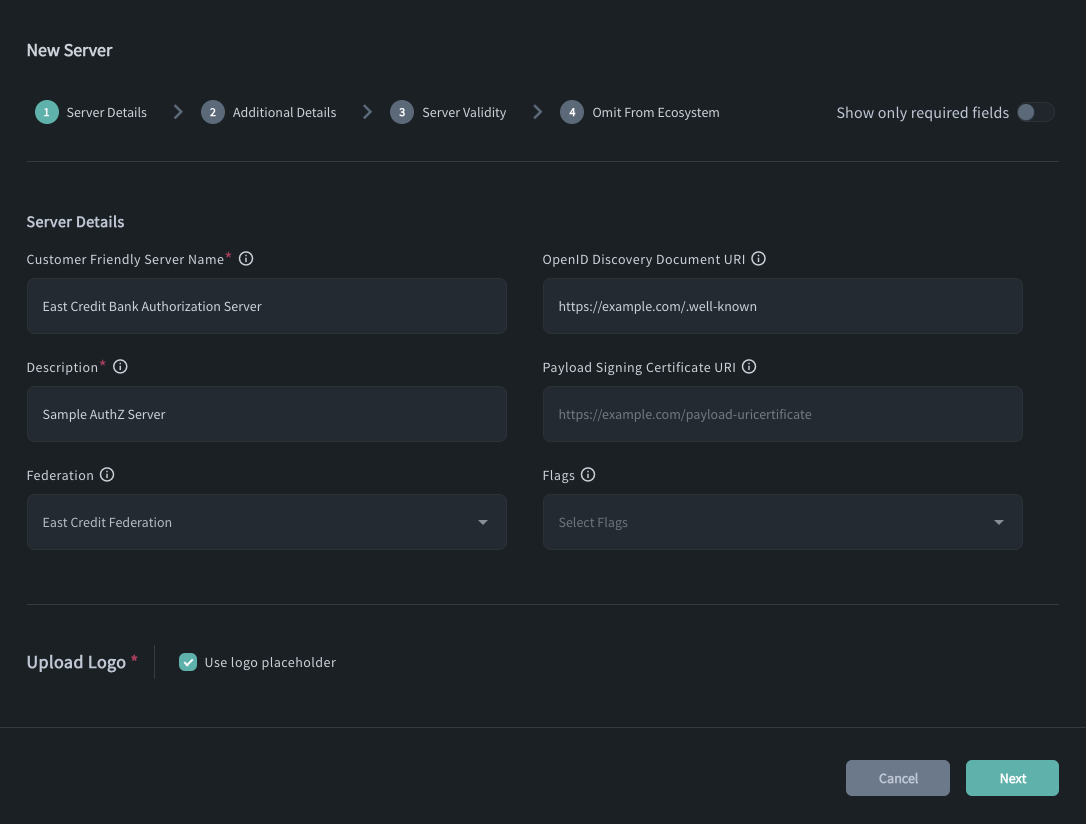
| Field name | Required | Field description | Example |
|---|---|---|---|
| Customer friendly server name | Yes | Should be equal to the brand name that can be easily identifiable by the customer on the consent flowAdd the name without abbreviations so that it can be recognized by the customer that is to provide their consent to share data. Maximum of 256 characters | Raidiam |
| Issuer | No | The OAuth 2.0 / OpenID Connect issuer identifier for the authorisation server. The server cannot be created or updated if the Issuer is already registered by another server, and the iss value published in the server's /.well-known metadata must match this configured Issuer. It becomes mandatory if one of the server's API Resources requires well-known discovery. | https://auth.example.com |
| OpenID discovery document URI | No | The URI that points to the OpenID discovery document (/.well-known endpoint. If omitted, it is derived automatically from the Issuer. | https\://raidiam.com/openid-configuration/.well-known |
| Description | Yes | 1. Character limit: 256 characters 2. Description cannot have links. 3. Should contain a description of the brand with any additional information the user should know. Can also contain Organization introductory text, Organization Start Date, Institution Differences, Contact Channels, and more. | This is where you can describe your brand, bringing any additional information to help the user make the right choice while providing their authorization to access the APIs. |
| Payload signing certificate URI | No | URI points to the Signature Certificates and Public Keys used to payload signatures by Data Receivers.Should point to the certificate you uploaded to the authorization server in the previous section of this article. | https\://raidiam.com/payload-uricertificate |
-
Upload Logo or use a placeholder.
-
Provide additional server details.
-
Define the validity for the server.
-
Decide whether to omit the server from the ecosystem or not.
If you enable the Omit From Ecosystem setting, the server will not appear in the public list of ecosystem participants.
This option is useful when the server is added for internal or auxiliary purposes — for example, to support Single Sign-On (SSO) or other non-public integrations. -
Save.
Some organizations may have more than one authorization servers responsible for issuing access tokens that give access to different APIs or services. In such cases, add additional authorization servers your organization has.
Delete Server
-
Select Servers.
-
Select Delete action (bin icon under the Actions label) next to the authorisation server you wish to remove.
Deleting an authorisation server within Connect does not make it impossible for
client applications to authenticate themselves with the server and get access
tokens if the server's configuration was already discovered by the client
application and the client was already registered at the authorisation server
unless the used client authentication method is private_key_jwt.
If you want client applications not to be able to request tokens from an authorisation server you added in Connect before, you need to configure your server and disable access or unregister any client applications that should no longer have access to the organisation's authorisation server APIs.
View and Edit Server Details
-
Select Servers.
-
Select the authorisation server from the list.
-
Select Server Details.
-
Select Edit Authorisation Server if you wish to change the Authorisation Server's configuration.
Manage OAuth Authorisation Servers Using APIs
Raidiam Connect allows organisations to integrate with the following APIs for OAuth Authorisation Server Management:
